Car workshop software: from work order to invoice
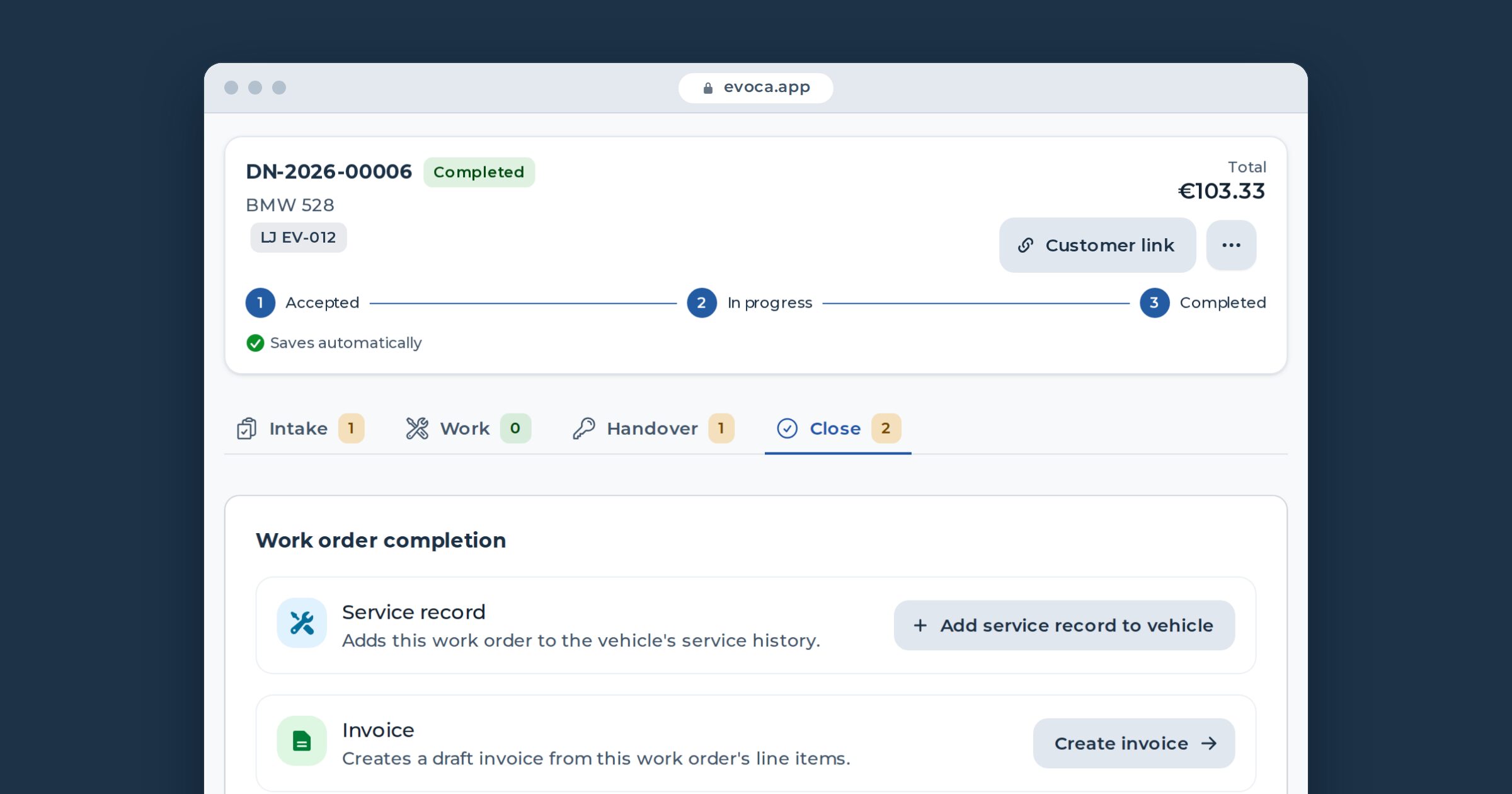
Short answer: car workshop software must cover a vehicle's path through the workshop. At intake you open a work order, the customer approves the work and signs, the completed service stays in the vehicle's history, and when the invoice is issued, the software has it fiscally verified with FURS, the Slovenian Financial Administration. A larger workshop will also find online booking and a stock overview useful.
This guide is for owners and managers of workshops who are choosing software or want to stop using paper work orders. For each step it says what to check with any provider and how the step works in Evoca.
Work order: vehicle intake, approval and customer signature
You open a work order when a vehicle arrives at the workshop. It lists the customer and the vehicle, a description of the problem, the work done, the parts used and the price. At intake, the most important thing is to record the vehicle's condition before anyone touches it. That way there is no doubt later about whether the scratch on the door was already there when the car arrived.
What intake must record
- mileage and fuel level at intake and at handover,
- damage, with photos that stay stored with the work order,
- the job status, so everyone in the workshop can see whether a vehicle is waiting for parts,
- a printed work order or a PDF that the customer receives at handover.
In Evoca, a work order has the statuses Accepted, In progress, Waiting for parts, Completed and Cancelled. At intake you enter the mileage, the fuel level in eighths of a tank and any damage, each with up to five photos. You print the work order or save it as a PDF.
Approving extra work remotely
During the job, the mechanic often finds something else, such as worn brake pads. The customer must agree before you do that work. A phone call in the middle of a job takes time, and you cannot show a verbal agreement later.
In Evoca you send the customer the work order items by email or SMS. The customer opens them through a link that needs no user account and approves or declines each item. The link is valid for 14 days. If you change the items in the meantime, the customer can no longer approve the old offer, so you send a new one. The software saves declined items as deferred work and sends the customer a reminder after a set time, 90 days by default.
Customer signature in the workshop or through a link
The customer signs the general repair terms on a screen in the workshop, with a finger or a mouse. If they are not there, you send them a signing link by email or SMS, or show them a QR code. The software records which version of the terms the customer signed and when. The work order PDF includes the accepted terms and the signature, and the mechanic also signs when the vehicle is handed over.
You can also carry out a digital vehicle inspection on the work order. The mechanic rates each item on a checklist and adds photos, and the customer receives the inspection through a link.
Service history that stays with the vehicle
When the job is done, the service must be recorded so that you can find it even when the customer comes back with the same car years later. A paper folder or an invoice in accounting software does not solve this. We explain why in our article Why mechanics can’t rely on paper service slips forever.
In Evoca you enter every service and repair in the vehicle's history, from the first inspection to the completed work order. The customer opens the history with an Evoca card. This is a plastic card with a QR code and a four-digit PIN, which the workshop activates for the customer's car. When the customer scans the code and enters the PIN, they see the service records but cannot change them. The first activated card is free. We describe how a transparent history affects customers in our article on customer trust and a transparent vehicle history.
Invoices with fiscal verification (FURS, Slovenia)
In Slovenia, an invoice that the customer pays in cash must be fiscally verified when it is issued. The Slovenian Financial Administration also counts payment by debit or credit card and by cheque as cash payment. A bank transfer to a current account does not count. For fiscal verification you need a dedicated digital certificate, and you must report your business premises to the Financial Administration before you issue the first invoice.
When you compare software, check whether it sends the invoice for verification itself and prints the EOR and ZOI codes that the Slovenian system requires on the invoice. It also matters that you issue the invoice from the work order and do not retype the items.
In Evoca you issue an invoice from a work order or from a recorded service. A draft is created first, which someone else, such as the workshop owner, can review before it is issued. On issue, the software has the invoice fiscally verified with the Slovenian FURS, and the invoice carries the EOR, the ZOI and a QR code. In the same part of the software you also issue proforma invoices and credit notes and email them to the customer. The FURS digital certificate is uploaded to the system by the Evoca team. Invoicing with fiscal verification is an add-on that you enable on the Basic or Pro plan.
Online booking for customers
Every call for an appointment during a job means someone puts down their tools. An online booking form moves some of those calls to the web. Check whether the customer sees only slots that are really free and whether they get a confirmation and a reminder before the appointment.
In Evoca the workshop sets up booking forms, a weekly schedule, closed days and notifications by email or SMS. The customer picks a free slot, receives a confirmation and a reminder, and reschedules or cancels the appointment through a link without logging in. You assign the appointment to an employee, and you enter customers who come in person yourself. From a booked appointment you open a work order. Online booking is part of the Pro plan.
Stock and delivery notes
If you keep parts on the shelf, the software must know how many there are. Otherwise you sell them on a work order when they have already run out. Check whether the software reduces stock when an invoice is issued and whether it warns you when an item is running low.
In Evoca you receive goods from a delivery note and keep a list of suppliers and stock levels. Parts you enter on a work order are reserved and leave stock when the invoice is issued. When an item is running low, the software warns you. You place orders with suppliers yourself, because Evoca does not send them. Stock works together with the invoicing add-on.
Questions to ask a provider before you decide
Before you decide on car workshop software, ask the provider for clear answers to the questions below. Each one includes the answer for Evoca.
- Where do you use the software? You open Evoca in a browser on a phone, tablet or computer. Nothing needs to be installed.
- How do you export your data? You export issued invoices for a chosen period to Excel or CSV. For accounting, KIR/XPR, Vasco KN-21 XML and VOD XML exports are available.
- Who processes your data and how long is it kept? Ask for the list of data processors and the retention periods. Evoca gives both in its privacy policy.
- How do you reach support? The Evoca team is available every working day between 8:00 and 16:00 on +386 70 553 852 or at info@evoca.app.
- Is the subscription tied to a contract? You can cancel an Evoca subscription at any time. It stays valid until the end of the paid period.
How much car workshop software costs
Prices for the Basic and Pro plans and for the invoicing, SMS and card add-ons are on the Pricing page. You can try the Pro plan for free, with no payment card. The trial starts when you first sign in. When it ends, you choose the Basic or Pro plan, or access stops.
If you would like us to show you how the software works using your own workshop as the example, sign up for a free demo for workshops. Setting up the account takes 10 to 15 minutes.
Less admin, more repaired vehicles
Run work orders, service entries and customers in one program. Try the Pro plan free for 7 days.
Start 7-Day Free TrialYour workshop at a new level
Focus on repairs and run the admin in Evoca.
- Digital work orders
- Automatic SMS reminders
- Online customer booking
- Fiscal cash register (FURS)
Keep reading

Checking mileage: how to spot a tampered odometer on a used car
How to tell whether a used car's mileage is genuine: official register records, service invoices, wear in the cabin and an inspection by a mechanic.
Read more
Checking a vehicle by its number plate in Slovenia: what you can and cannot find out
What a number plate tells you about a used car in Slovenia, why owner details are not public and how to check a car's history by its VIN.
Read more
Imported used car: how to check a car's history from abroad
Buying an imported used car in Slovenia? What the Slovenian register shows, which documents to ask the seller for and where to check its history abroad.
Read more